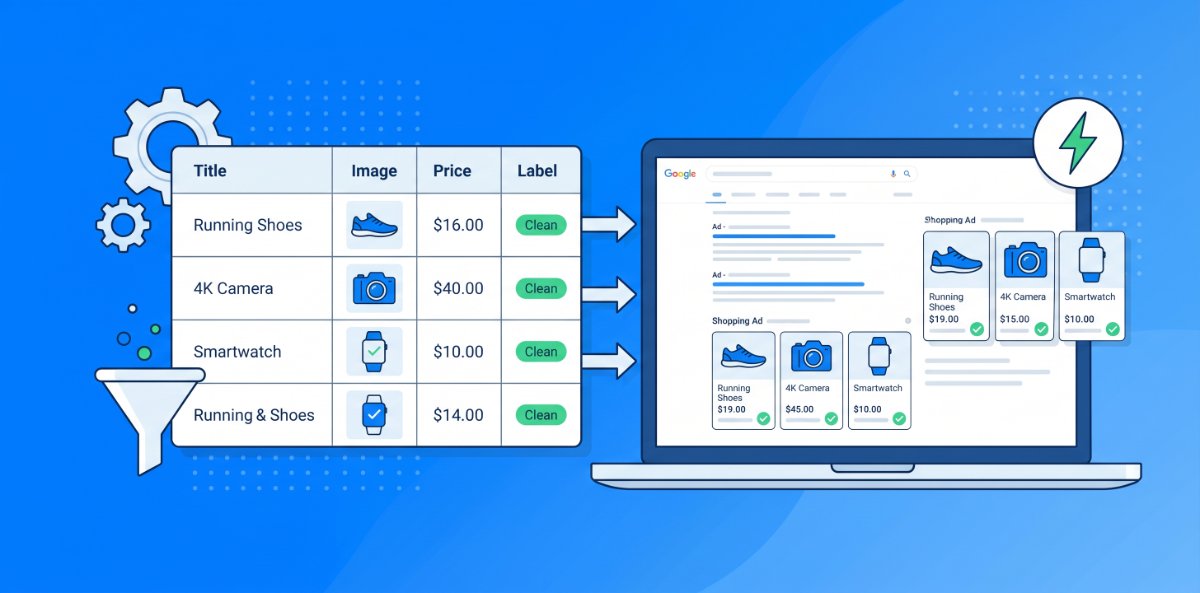
Most brands still treat product feeds as an annoying requirement for Shopping campaigns, not as a weapon for search. That is a waste. A clean, well‑structured feed can power Dynamic Search Ads, Performance Max, Shopping, and even some text ad structures with far more coverage and far less manual work than old‑school keyword lists ever could. The trick is to design your feed so it can build and steer search campaigns, not just satisfy minimum fields.
This post looks at how to turn a static feed into a search engine that builds itself.
Step 1 - Start with a feed you can trust
Before any automation, the feed has to be trustworthy. If titles, URLs, prices, or availability are wrong, automating campaigns from that data simply automates mistakes.
Make sure:
- Each product has a unique, stable ID mapped correctly to your tracking and analytics.
- URLs resolve cleanly, without broken links or messy redirect chains.
- Prices and stock in the feed match the website at all times.
- Core attributes such as titles, categories, and brands are already cleaned up and consistent.
Think of this as building a solid database. Search tools can only be as smart as the data they receive.
Step 2 - Write titles that double as search queries
When you use your feed to drive search ads, product titles effectively become dynamic keywords and ad headlines at the same time. That is powerful if you structure them deliberately.
Good patterns:
- Brand + Product Type + Key Attribute + Main Use Case + Variant
- “Brand X Women’s Trail Running Shoes - Waterproof - UK 7”
- For B2B or complex products, add context:
- “Brand Y 4K Projector - Short Throw - Small Meeting Rooms”
Aim for titles that:
- Match how people actually search. Add “for X”, “with Y”, or “size Z” where relevant.
- Clearly separate variants such as size, colour, and capacity so both algorithms and humans choose correctly.
- Front load the most important terms so they survive truncation.
When your titles read like tightly written search queries, you give automated systems a rich signal to match against real demand.
Step 3 - Use product data to power Dynamic Search Ads
Dynamic Search Ads can automatically build and match ads to pages on your site. When paired with a strong feed, they become a discovery engine for long tail queries you would never manually target.
To take advantage:
- Ensure important product pages are crawlable and properly structured with clear titles, H1s, and on page copy that reflect the same language as your feed.
- Group products into logical DSA targets using URLs, page content, or custom labels. For example “all women’s running shoes”, “all small appliances under £200”, or “top margin hero products”.
- Review search term reports regularly to find high intent queries DSA uncovers, then decide which deserve their own structured campaigns.
The goal is to let DSA explore broadly while you promote proven winners into more controlled setups.
Step 4 - Build smart segments with custom labels
To turn a feed into a machine, you need ways to slice it on demand. Custom labels and internal attributes are your control panel.
Useful segment dimensions include:
- Performance such as best sellers, low performers, high CTR, low CTR.
- Margin such as high, medium, and low margin products so you can adjust bids intelligently.
- Lifecycle such as new arrivals, evergreen core, and clearance or end of line.
- Seasonality such as summer, winter, Back to School, Black Friday and gifting.
With these labels in place, you can:
- Build dedicated campaigns and ad groups around high margin or high volume products.
- Reduce bids or exclude low performers that never convert.
- Spin up seasonal or promotional campaigns by targeting the right labeled subsets without manual product picking.
The more meaningful your labels, the more powerful and flexible your automated campaigns become.
Step 5 - Let feeds construct campaign structures
Instead of building campaigns and ad groups manually, use your feed and labels to define structure:
- Create campaigns per major category or audience, for example “Women’s Footwear” or “Office Tech”.
- Within each, use rules based on product type, brand, or custom labels to automatically allocate products into ad groups.
- Align naming conventions so you can see, at a glance, how each segment is performing.
This approach gives you the best of both worlds. You get granular control at the segment level without manually dragging and dropping individual SKUs. As the catalog changes, the structure updates itself based on the rules you set.
Step 6 - Optimise feed fields like ad components
If your feed is driving both Shopping and search formats, every field is effectively a piece of ad creative.
Treat key fields like this:
- Title as primary headline and matching signal. Test different patterns such as brand first versus use case first and watch performance shifts.
- Description as supportive body copy, especially for feed driven text ads and some surface placements. Lead with benefits, not just specs.
- Product type and category as relevance and grouping signals. The clearer these are, the better your automatic campaigns cluster and match.
Make small, measured changes and monitor their impact. Over time, you build internal rules of thumb for what works in each category.
Step 7 - Use performance data to prune and promote
A true search ad machine not only builds campaigns from feeds. It also evolves them based on performance.
Key habits:
- Regularly review which products drive most conversions and profit, not just impressions.
- Promote high performers into their own campaigns or higher priority segments with more budget and tighter control.
- Pause or de emphasise products that consistently waste spend. This can be done via exclusions, reduced bids, or segmenting them into low priority campaigns.
Let the data decide what stays in your most competitive campaigns. The feed becomes both your engine and your filter.
Step 8 - Keep automation on a leash
Automation does not mean surrendering control. It means giving the system better inputs and boundaries.
To keep things under control:
- Set sensible bid caps and budget limits for exploratory, feed driven campaigns.
- Regularly check search terms and placements to ensure you are not matching irrelevant or overly broad queries.
- Use negative keywords or exclusions where needed to keep the machine focused on profitable intent.
Think of automated, feed based search as a very fast, very literal assistant. It will do exactly what the data and rules encourage, whether that is smart or not. Your job is to guide it.
A quick checklist - is your feed ready to run search?
Use this to assess whether your product data is strong enough to power serious search campaigns:
- Titles read like clear, specific search queries and product headlines.
- Key attributes such as brand, type, size, colour, and category are accurate and consistent.
- URLs, prices, and availability are correct and in sync with your site.
- You have meaningful custom labels for margin, performance, lifecycle, and seasonality.
- You are using feed driven or dynamic campaigns such as DSA, Shopping, or PMAX instead of only manual keyword builds.
- You regularly review performance and adjust titles, labels, and inclusion rules based on what works.
Once those boxes are ticked, your product feed stops being a static file you upload once a day and forget. It becomes a living system that builds, targets, and refines your search activity at scale, often faster and more efficiently than any manual build ever could.